


Worried about WordPress security threats? Whether it’s outdated software, vulnerable plugins, or brute force attacks, these website security risks are real and dangerous. This article breaks down the top 10 threats and how you can secure your WordPress website against them.
Key Takeaways
- Regularly updating WordPress core software, plugins, and themes is essential to protect against vulnerabilities and hacking attempts.
- Implementing strong passwords and two-factor authentication significantly reduces the risk of unauthorised access and brute force attacks.
- Effective user role management and limiting access control can prevent data breaches and unauthorised actions on WordPress sites.
Outdated WordPress Core Software
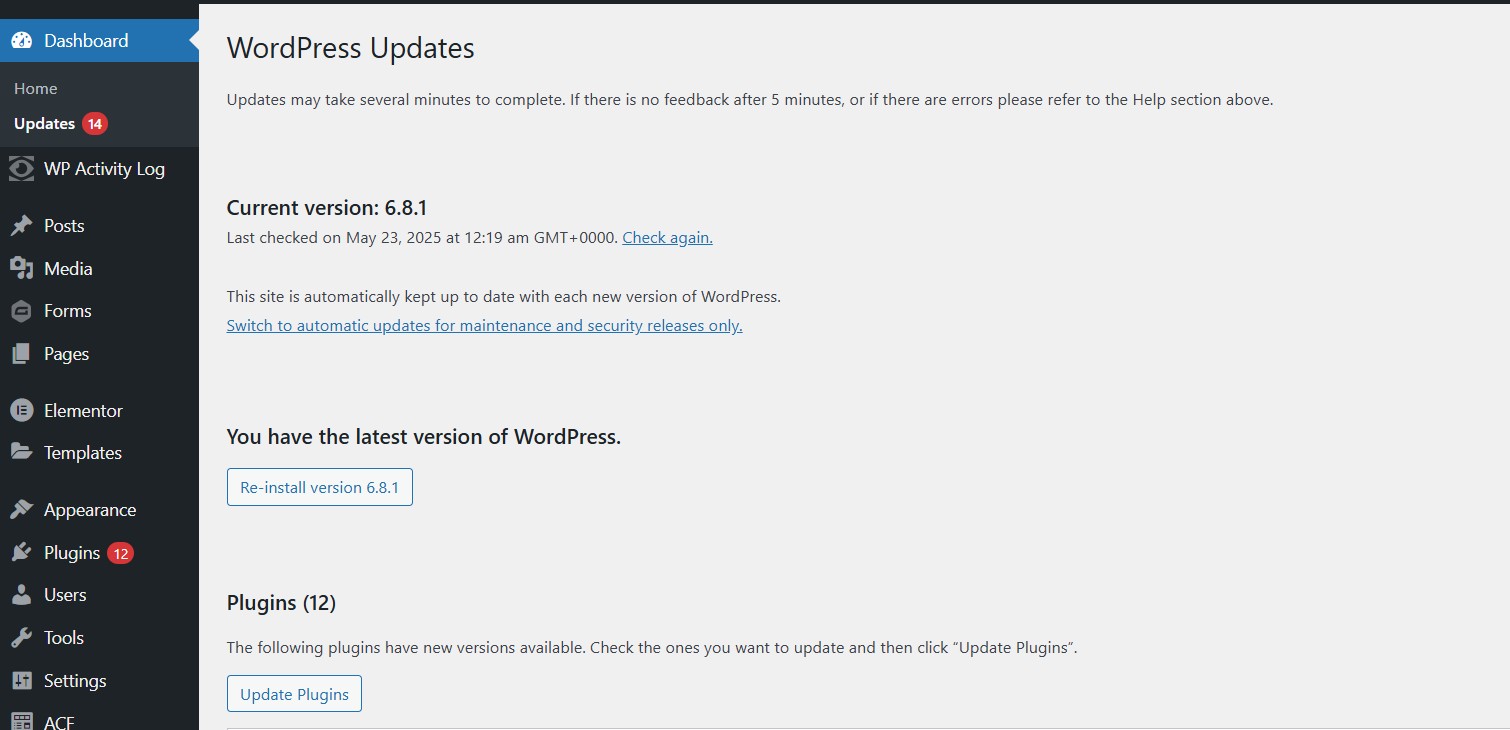
It is essential to maintain the most recent version of WordPress core software on your website. A startling statistic from 2023 reveals that at the point they were compromised, an overwhelming 39.1% of hacked CMS sites were running on out-of-date software. This fact underscores the importance of regular updates to prevent exposing your WordPress website to security vulnerabilities and becoming an easy target for cybercriminals.
The repercussions of not updating WordPress core can be significant. In 2016, outdated software was responsible for hacking into 61% of WordPress sites. Overlooking necessary updates may result in a buildup of unpatched security issues—technical debt—which makes subsequent upgrades more difficult and expensive over time. Keeping up with updates serves not only as a shield against security breaches, but also delivers enhancements and bug fixes that bolster the stability and performance of your site.
Diligently working behind the scenes, the WordPress Security Team continuously scours for new WordPress security threats, successfully uncovering 23 security vulnerabilities within the core software throughout 2022 alone. To safeguard your website promptly against emerging dangers without delay or oversight, consider updating your WordPress manually. While automatic updates offer convenience, they can sometimes lead to WordPress plugin incompatibilities and security issues. Manually updating your WordPress site allows you to ensure that all plugins and themes are compatible with the new version before making the switch, thus maintaining the integrity and functionality of your WordPress site.
Vulnerable Plugins and Themes
The WordPress ecosystem thrives on the extensive range of plugins and themes it provides, allowing for a high degree of personalisation. These elements also introduce potential security risks that can lead to compromised WordPress sites. As an illustration, in December 2024 alone, there were reports of 231 new security vulnerabilities associated with various WordPress plugins and themes.
Neglecting to address unpatched vulnerabilities leaves websites open to increased risk from cyberattacks. Of the recently reported weaknesses found within the system during that period, as many as 97 stemmed from outdated or nulled plugins and themes which hadn’t been updated with necessary patches—posing heightened threats particularly for small to mid-sized businesses often utilising these tools without implementing robust security measures. It is essential for WordPress users not only be aware but also proactive when confronting some of the most severe security issues uncovered within this digital environment.
To protect against the risks associated with outdated or unsupported extensions—particularly those that have been maliciously altered, known as ‘nulled’ plugins—it’s crucial to keep all active add-ons updated regularly. By doing so, you significantly reduce the chances of attacks that could disrupt your site’s functionality. Regular updates ensure that plugins and themes maintain their quality and authenticity, thereby strengthening your overall security strategy and safeguarding your online presence both now and in the future.
Weak Passwords and Lack of Two-Factor Authentication
Having a weak password is essentially like not locking your front door, presenting an open invitation to intruders. Within the realm of WordPress security, these insufficient passwords are prime targets for brute force attacks, which employ relentless trial-and-error methods by hackers seeking entry. It’s alarming that 41% of WordPress users neglect the use of robust passwords and two-factor authentication, making their sites easy targets for unwanted access.
A potent password incorporates a mixture of upper and lower case letters, numbers, and special characters—and extends beyond 12 characters in length. Using a password manager can be beneficial in generating and managing such strong and unique passwords that present more difficulty for attackers trying to decipher them. It’s critical not to recycle these complex passwords across different sites since doing so could enable attackers who have obtained one set of credentials to breach additional accounts easily.
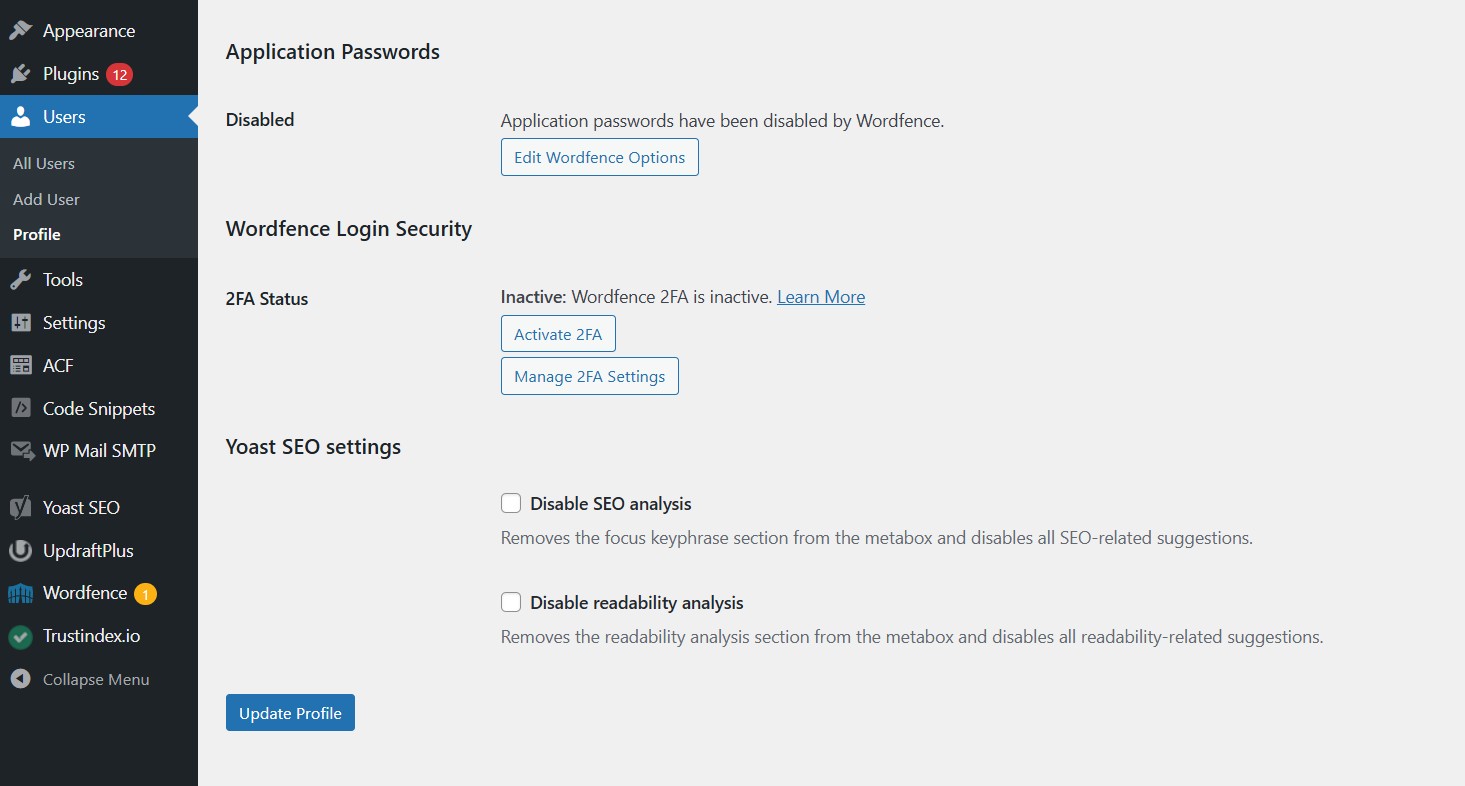
Implementing two-factor authentication (2FA) offers another layer of defense by requesting a secondary token along with the usual password requirement during login attempts—this drastically lowers chances for unwarranted entries into user accounts. Employing both secure passwords augmented with 2FA considerably bolsters defenses against breaches on WordPress platforms.
Cross-Site Scripting (XSS) Attacks
Cross-Site Scripting, commonly known as XSS, represents a significant concern in the arena of WordPress security. These attacks enable attackers to execute detrimental scripts within a user’s web browser by embedding harmful code into pages that are otherwise considered secure. Not only do XSS vulnerabilities put users at risk, but they also create opportunities for unauthorised access to credentials and website alterations, which adversely affect site owners. Threats like cross-site request forgery underscore widespread WordPress security issues.
XSS assaults come in three primary forms: stored XSS involves malicious scripts being permanently housed on target servers. Reflected XSS where tainted script is momentarily echoed off the server following a user’s action. And DOM-based XSS operates through client-side manipulation of the Document Object Model without contacting the server. To counteract such dangers involving user inputs onto websites, it is essential to thoroughly clean these inputs and ensure their validation before rendering them within any web browser.
To bolster defenses against such incursions, utilising security plugins designed to identify possible instances of Cross-Site Scripting can be highly effective preventative measures. Employing HttpOnly flags on cookies effectively blocks JavaScript from accessing cookie data when operating on client machines—fortifying small business cybersecurity practices against potential breaches via these channels significantly—and implementing CSP limits authorised sources for running scripts Fortifies protections Still.
SQL Injection Attacks
WordPress sites are vulnerable to SQL injection attacks, which enable attackers to alter databases directly. Attackers can skew database interactions by injecting malicious code into queries. These security gaps typically occur due to plugins and themes that are poorly written or not regularly updated, as well as user inputs that have not been adequately cleaned.
SQL injections may be exploited to extract sensitive data from databases such as usernames and passwords. Security researchers have found that around 20% of hackers employ SQL attacks, with WooCommerce-based e-commerce platforms being particularly at risk.
Using prepared statements when querying the database is a robust defense against SQL injection assaults since it ensures proper treatment of user-supplied data. To safeguard your WordPress website against these threats, frequently updating plugins and themes is crucial along with deploying security plugins designed to identify potential weaknesses in your site’s defenses.
Brute Force Attacks on Login Attempts
Brute force attacks involve relentless guessing of login credentials, typically directed at the login page of Wo